### 环境初始化 ### 配置镜像源 [scode type="blue"]首先我们想要在 RHEL 环境下安装lamp环境会需要一些软件包,Apache(Nginx)Mysql(Mariadb)默认系统仓库是自带的,无需额外添加其他软件包仓库,但是php推荐大家使用 remi 源进行安装,这里我们就需要安装Remi源。[/scode] [scode type="red"]如果你像我一样使用 RedHat Linux 发行版操作系统,需要先向红帽认证服务器注册此操作系统,才能正常使用。 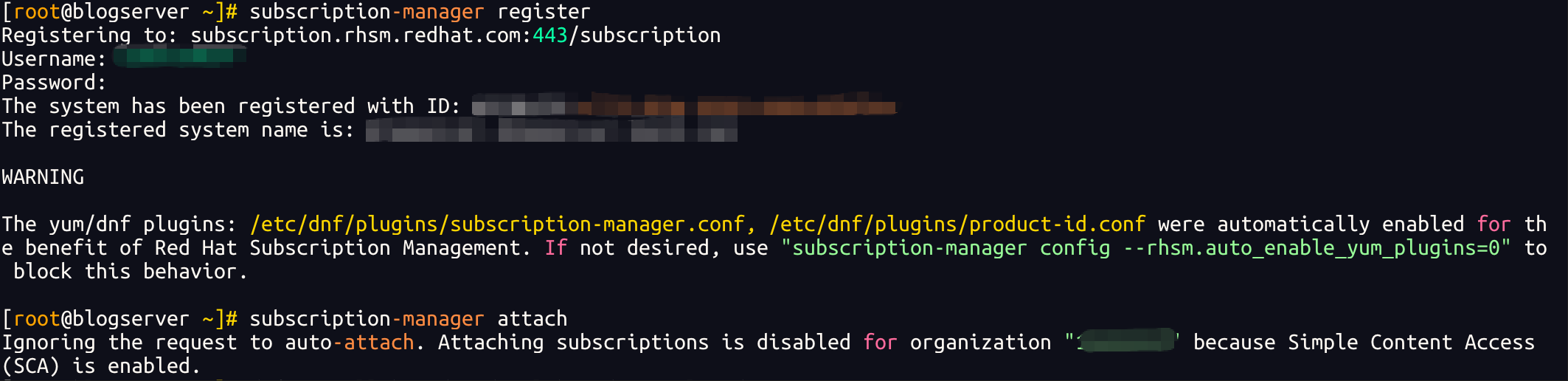 [/scode] 由于Remi源依赖于EPEL(Extra Packages for Enterprise Linux)源,因此需要先安装EPEL: ```bash dnf install epel-release -y # 如果不可用就用下面的,latest-x是操作系统版本 dnf install https://dl.fedoraproject.org/pub/epel/epel-release-latest-9.noarch.rpm ``` 然后在进行安装 Remi 源: ```bash dnf install https://rpms.remirepo.net/enterprise/remi-release-9.rpm -y ``` ### 关闭 SELinux [scode type="yellow"]SELinux可能会限制Apache和MySQL的运行,因此建议关闭SELinux[/scode] 参考:[post cid="189" cover="https:\/\/img.wanghaoyu.com.cn\/Picture\/img\/selinux.png"/] ### 安装 Apache 如果需要配置 ssl证书,请将mod_ssl模块一并安装。 ```bash dnf install httpd mod_ssl httpd-manual ``` 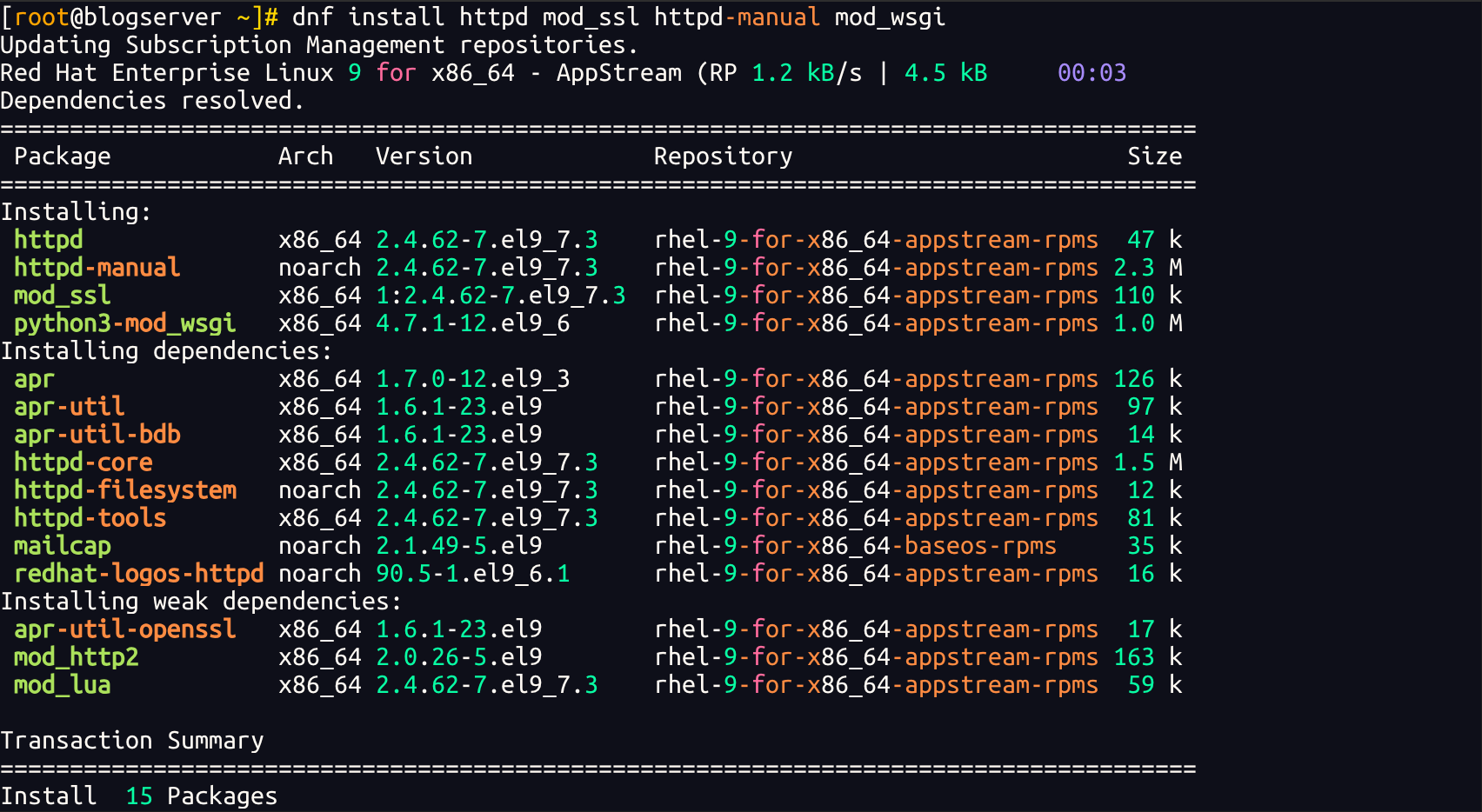 ### 安装 PHP 我们在此之前已经安装好了 Remi 源 这里可以使用 Remi源直接安装 PHP环境以及依赖。 在安装PHP之前,需要先重置PHP模块,因为其他仓库(AppStream/EPEL)都携带了旧版本php,以避免冲突,我们需要先重置一下。 ```bash dnf module reset php -y ``` 启用 php 8.2模块 ```bash dnf module enable php:remi-8.2 -y ``` dnf module enable 命令用于启用指定的模块,这里启用了Remi源提供的PHP8.2模块,确保后续安装的PHP软件包来自Remi源中的82版本。 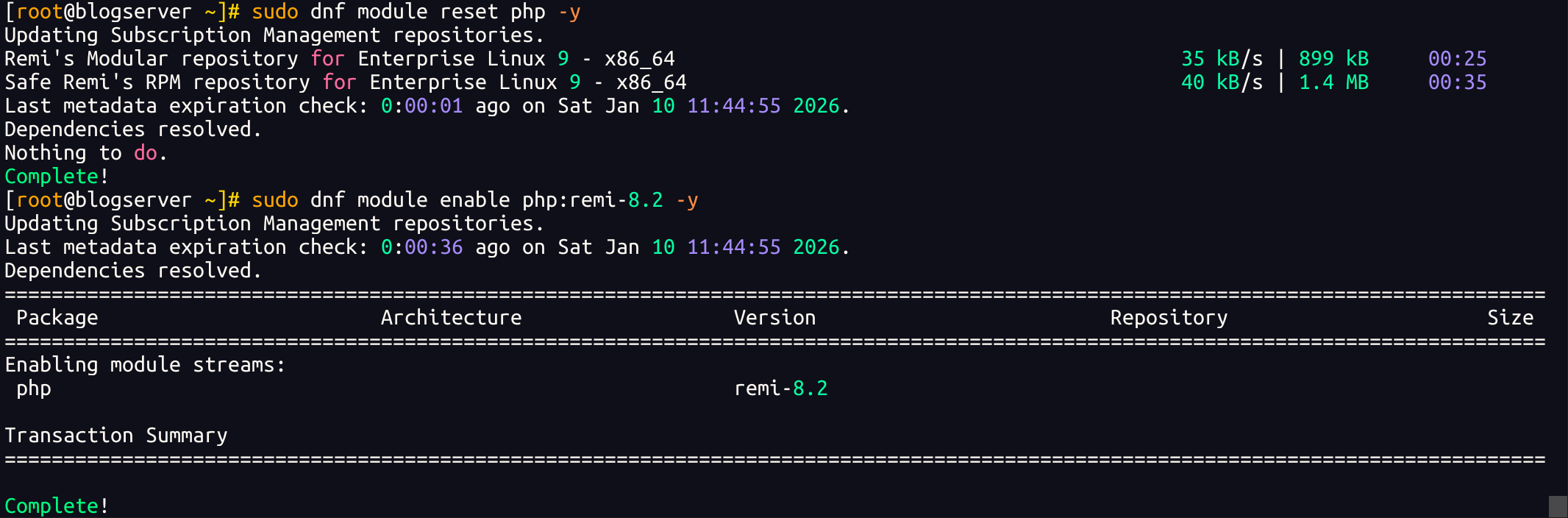 安装php以及扩展(扩展根据你的实际需要进行安装,我这里要跑typecho,所以就是下面这些) ```bash dnf install php php-fpm php-mysqlnd php-gd php-xml php-mbstring php-zip -y ### 安装 MySQL 并初始化 这里仓库自带 MySQL 8.x版本,如需其他5.7等老版本可以参考官方教程进行编译安装,目前近几年的rhel8.x 9.x都不提供5.x以及更早版本的rpm包了。 dnf install mysql mysql-server -y systemctl enable --now mysqld ``` 初始化: ```bash [root@blogserver ~]# mysql_secure_installation Securing the MySQL server deployment. Connecting to MySQL using a blank password. The 'validate_password' component is installed on the server. The subsequent steps will run with the existing configuration of the component. Please set the password for root here. New password: Re-enter new password: Estimated strength of the password: 50 Do you wish to continue with the password provided?(Press y|Y for Yes, any other key for No) : y By default, a MySQL installation has an anonymous user, allowing anyone to log into MySQL without having to have a user account created for them. This is intended only for testing, and to make the installation go a bit smoother. You should remove them before moving into a production environment. Remove anonymous users? (Press y|Y for Yes, any other key for No) : ... skipping. Normally, root should only be allowed to connect from 'localhost'. This ensures that someone cannot guess at the root password from the network. Disallow root login remotely? (Press y|Y for Yes, any other key for No) : ... skipping. By default, MySQL comes with a database named 'test' that anyone can access. This is also intended only for testing, and should be removed before moving into a production environment. Remove test database and access to it? (Press y|Y for Yes, any other key for No) : ... skipping. Reloading the privilege tables will ensure that all changes made so far will take effect immediately. Reload privilege tables now? (Press y|Y for Yes, any other key for No) : ... skipping. All done! ``` ### 验证阶段 验证apache是否正常运行,php是否成功加载 验证是否能正常访问 apache 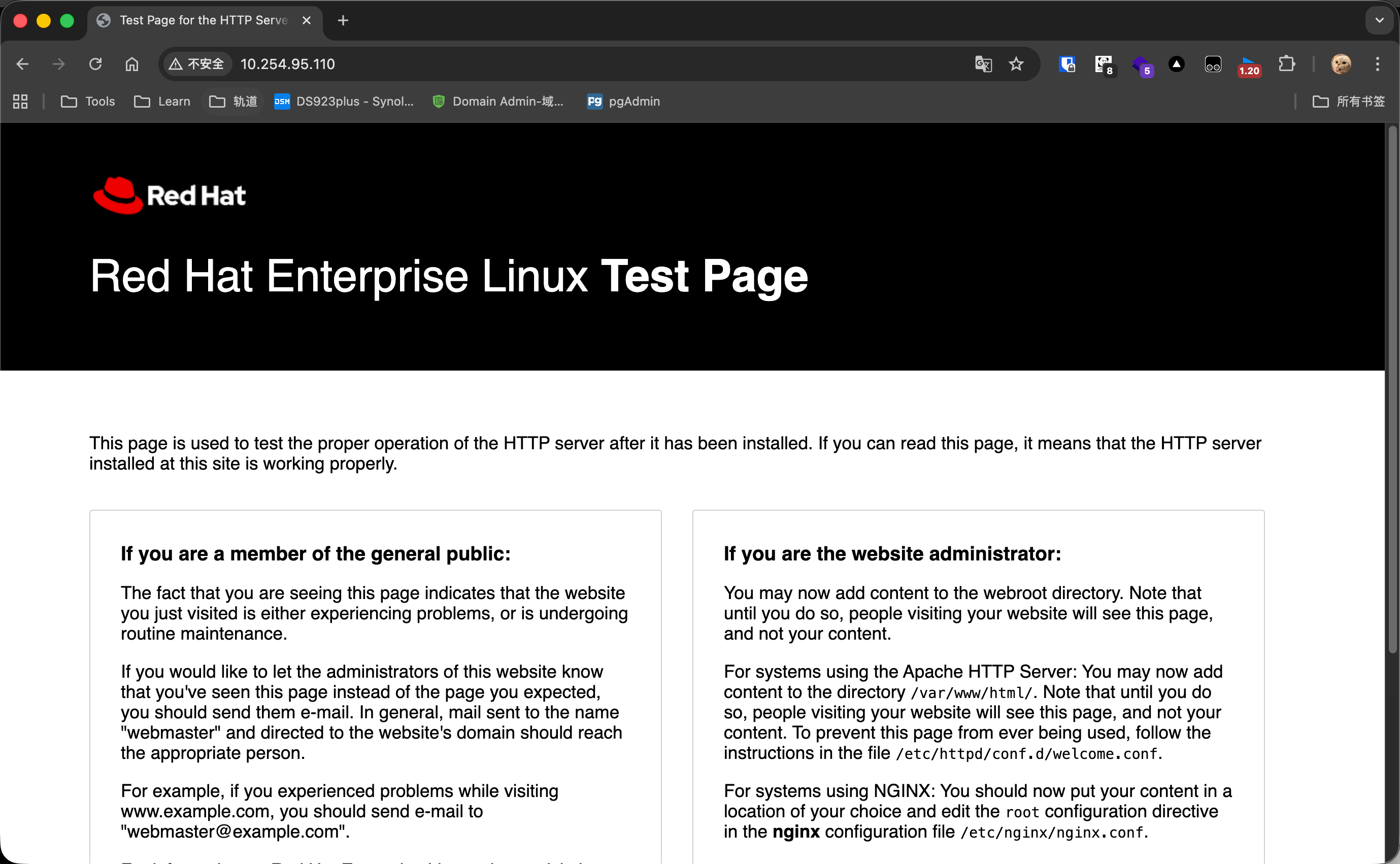 在`/var/www/html/` 目录下新建一个php文件,测试php是否成功加载,内容如下 ```php <?php phpinfo(); ?> ``` 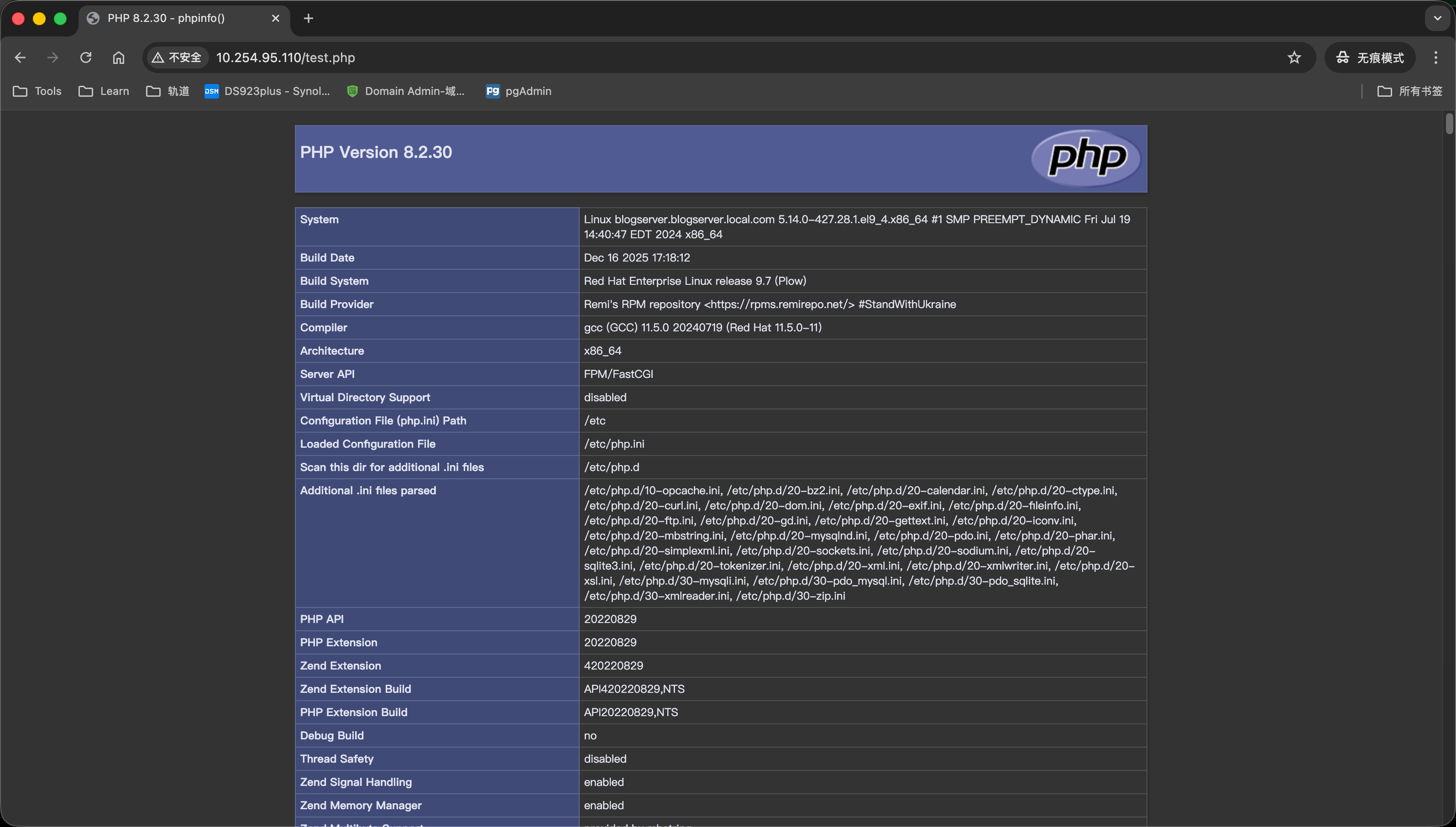 Loading... ### 环境初始化 ### 配置镜像源 <div class="tip inlineBlock info"> 首先我们想要在 RHEL 环境下安装lamp环境会需要一些软件包,Apache(Nginx)Mysql(Mariadb)默认系统仓库是自带的,无需额外添加其他软件包仓库,但是php推荐大家使用 remi 源进行安装,这里我们就需要安装Remi源。 </div> <div class="tip inlineBlock error"> 如果你像我一样使用 RedHat Linux 发行版操作系统,需要先向红帽认证服务器注册此操作系统,才能正常使用。  </div> 由于Remi源依赖于EPEL(Extra Packages for Enterprise Linux)源,因此需要先安装EPEL: ```bash dnf install epel-release -y # 如果不可用就用下面的,latest-x是操作系统版本 dnf install https://dl.fedoraproject.org/pub/epel/epel-release-latest-9.noarch.rpm ``` 然后在进行安装 Remi 源: ```bash dnf install https://rpms.remirepo.net/enterprise/remi-release-9.rpm -y ``` ### 关闭 SELinux <div class="tip inlineBlock warning"> SELinux可能会限制Apache和MySQL的运行,因此建议关闭SELinux </div> 参考:<div class="preview"> <div class="post-inser post box-shadow-wrap-normal"> <a href="https://www.wanghaoyu.com.cn/archives/rhel-disable-selinux.html" target="_blank" class="post_inser_a no-external-link no-underline-link"> <div class="inner-image bg" style="background-image: url(https://img.wanghaoyu.com.cn/Picture/img/selinux.png);background-size: cover;"></div> <div class="inner-content" > <p class="inser-title">如何在 RHEL系列操作系统中禁用 SELinux?</p> <div class="inster-summary text-muted"> 禁用 SELinux查看当前SELinux状态首先在操作之前我们需要先看一下 SELinux的状态,使用geten... </div> </div> </a> <!-- .inner-content #####--> </div> <!-- .post-inser ####--> </div> ### 安装 Apache 如果需要配置 ssl证书,请将mod_ssl模块一并安装。 ```bash dnf install httpd mod_ssl httpd-manual ```  ### 安装 PHP 我们在此之前已经安装好了 Remi 源 这里可以使用 Remi源直接安装 PHP环境以及依赖。 在安装PHP之前,需要先重置PHP模块,因为其他仓库(AppStream/EPEL)都携带了旧版本php,以避免冲突,我们需要先重置一下。 ```bash dnf module reset php -y ``` 启用 php 8.2模块 ```bash dnf module enable php:remi-8.2 -y ``` dnf module enable 命令用于启用指定的模块,这里启用了Remi源提供的PHP8.2模块,确保后续安装的PHP软件包来自Remi源中的82版本。  安装php以及扩展(扩展根据你的实际需要进行安装,我这里要跑typecho,所以就是下面这些) ```bash dnf install php php-fpm php-mysqlnd php-gd php-xml php-mbstring php-zip -y ### 安装 MySQL 并初始化 这里仓库自带 MySQL 8.x版本,如需其他5.7等老版本可以参考官方教程进行编译安装,目前近几年的rhel8.x 9.x都不提供5.x以及更早版本的rpm包了。 dnf install mysql mysql-server -y systemctl enable --now mysqld ``` 初始化: ```bash [root@blogserver ~]# mysql_secure_installation Securing the MySQL server deployment. Connecting to MySQL using a blank password. The 'validate_password' component is installed on the server. The subsequent steps will run with the existing configuration of the component. Please set the password for root here. New password: Re-enter new password: Estimated strength of the password: 50 Do you wish to continue with the password provided?(Press y|Y for Yes, any other key for No) : y By default, a MySQL installation has an anonymous user, allowing anyone to log into MySQL without having to have a user account created for them. This is intended only for testing, and to make the installation go a bit smoother. You should remove them before moving into a production environment. Remove anonymous users? (Press y|Y for Yes, any other key for No) : ... skipping. Normally, root should only be allowed to connect from 'localhost'. This ensures that someone cannot guess at the root password from the network. Disallow root login remotely? (Press y|Y for Yes, any other key for No) : ... skipping. By default, MySQL comes with a database named 'test' that anyone can access. This is also intended only for testing, and should be removed before moving into a production environment. Remove test database and access to it? (Press y|Y for Yes, any other key for No) : ... skipping. Reloading the privilege tables will ensure that all changes made so far will take effect immediately. Reload privilege tables now? (Press y|Y for Yes, any other key for No) : ... skipping. All done! ``` ### 验证阶段 验证apache是否正常运行,php是否成功加载 验证是否能正常访问 apache  在`/var/www/html/` 目录下新建一个php文件,测试php是否成功加载,内容如下 ```php <?php phpinfo(); ?> ```  Last modification:January 30, 2026 © Allow specification reprint Support Appreciate the author Like 如果觉得我的文章对你有用,请随意赞赏